
ScreenFlow coupons and discounts are easy to overpay for, because most “promo codes” floating around for Telestream’s Mac screen recorder don’t exist on Telestream’s own store. The honest answer: there is no public ScreenFlow promo code right now, but there are real ways to pay less. The ScreenFlow Super Pak bundles are discounted to $275 (from $298) and $325 (from $357), so the biggest verified saving is $32, and educators can get 10% off the $199 license. Below are the five offers that actually exist, a pricing table, upgrade prices, and the steps to claim each one.
We checked each figure on this page against Telestream’s US ScreenFlow online store, upgrade page, and support pages on 11 October 2026. All prices are in US dollars.

ScreenFlow Super Pak: $275 one-time, save $23
ScreenFlow plus the first year of the Stock Media Library at $76 (then $99/year), the best value if you need stock music and clips.
The Super Pak is the pick for most buyers who want royalty-free music, images, and video clips inside the editor.
ScreenFlow license: $199 one-time purchase
The full Mac screen recorder and video editor with free self-help support, and no yearly fee to keep using the version you buy.
If you already have your own music and B-roll, the plain $199 license is all you need.
ScreenFlow Super Pak +: $325 one-time, save $32
Adds a year of Premium Support ($59/year, 8-business-hour email replies, 25% off future upgrades) and the Stock Media Library at $67 for year one.
Super Pak + suits teams and course creators who want direct help from Telestream and cheaper upgrades later.
Education discount: 10% off ScreenFlow ($179.10)
Faculty, staff, and students at qualifying schools can apply through Telestream's education form; a decision comes within 24 business hours.
Education buyers should apply before checking out, because the discount isn’t applied automatically.
Free ScreenFlow trial: no time limit, watermarked exports
The unlicensed version is fully functional with no time limit; exported videos carry a watermark until you add a license.
Start with the trial if you’re unsure, and buy a license once you know it fits your workflow.
ScreenFlow Pricing 2026: What Each Option Costs
ScreenFlow is sold as a one-time license, not a subscription. The only yearly costs are optional: the Stock Media Library and Premium Support. Here is what Telestream’s store showed when we checked.
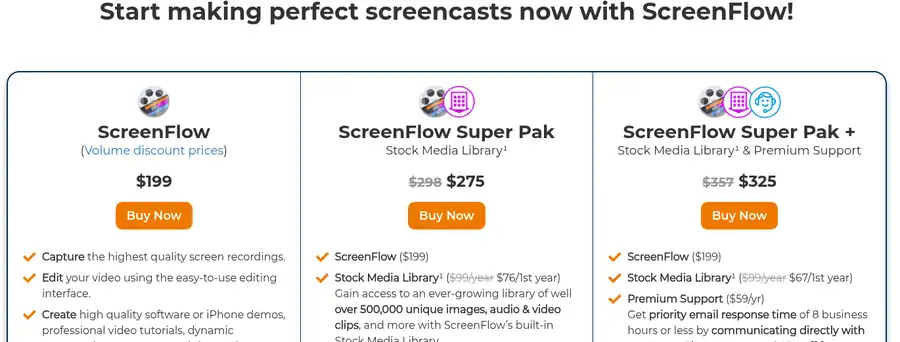
| Option | Price | What’s included |
|---|---|---|
| ScreenFlow | $199 one-time | ScreenFlow license (Mac), free self-help support, knowledge base and video tutorials |
| ScreenFlow Super Pak | $275 one-time (list $298) | ScreenFlow ($199) + Stock Media Library first year at $76, renews at $99/year |
| ScreenFlow Super Pak + | $325 one-time (list $357) | ScreenFlow ($199) + Stock Media Library first year at $67 + Premium Support ($59/year) |
| Stock Media Library | $99/year | Over 500,000 royalty-free images, audio and video clips inside ScreenFlow; non-refundable |
| Premium Support | $59/year | Priority email replies within 8 business hours and 25% off future ScreenFlow upgrades |
| Free trial | $0 | Fully functional, no time limit, watermark on exported videos |
Prices checked on 11 October 2026 on Telestream’s US store. Checkout is handled by Telestream’s payment partner 2Checkout, which converts the price into local currency, so your total may differ slightly outside the US.
ScreenFlow upgrade and volume prices
| If you are… | You pay |
|---|---|
| Upgrading from ScreenFlow 8 or 9 to ScreenFlow 10 | $79 |
| Upgrading from ScreenFlow 4, 5, 6 or 7 to ScreenFlow 10 | $119 |
| On ScreenFlow 1 to 3 | No upgrade price; buy a new $199 license |
| Buying 10 to 20 copies | $189.05 per copy (5% off) |
| Buying 21 or more copies | $179.10 per copy (10% off) |
| Buying 5 copies | First year of the Stock Media Library free (Telestream’s bulk deal) |
How to Claim ScreenFlow Coupons and Discounts in 5 Steps
- Open the ScreenFlow online store and pick ScreenFlow, Super Pak, or Super Pak +. The bundle discounts are already applied to the shown price, so there’s nothing to type in.
- If you qualify for the education discount, fill in Telestream’s educational request form first and wait for approval (up to 24 business hours) before you pay.
- If you own ScreenFlow 4 or later, don’t buy a new license: download ScreenFlow 10, activate your old serial in Preferences > License, and use the upgrade link there (or Telestream’s ScreenFlow Upgrade Tool).
- Click Buy Now, check the total on the 2Checkout page, and enter your billing details.
- Save the serial number from your confirmation email, enter it in ScreenFlow, and the trial watermark disappears from new exports.
Bought ScreenFlow on the Mac App Store? Apple doesn’t allow paid upgrades, so Telestream’s upgrade prices only apply after you move to a Telestream license through the Upgrade Tool.
What You Get With ScreenFlow 10.5
ScreenFlow is a Mac-only screen recorder and video editor from Telestream. The current version is 10.5.2 (released 12 February 2026), and it runs on Apple Silicon and Intel Macs with macOS Tahoe and macOS Sequoia. Here’s what matters before you spend the money:
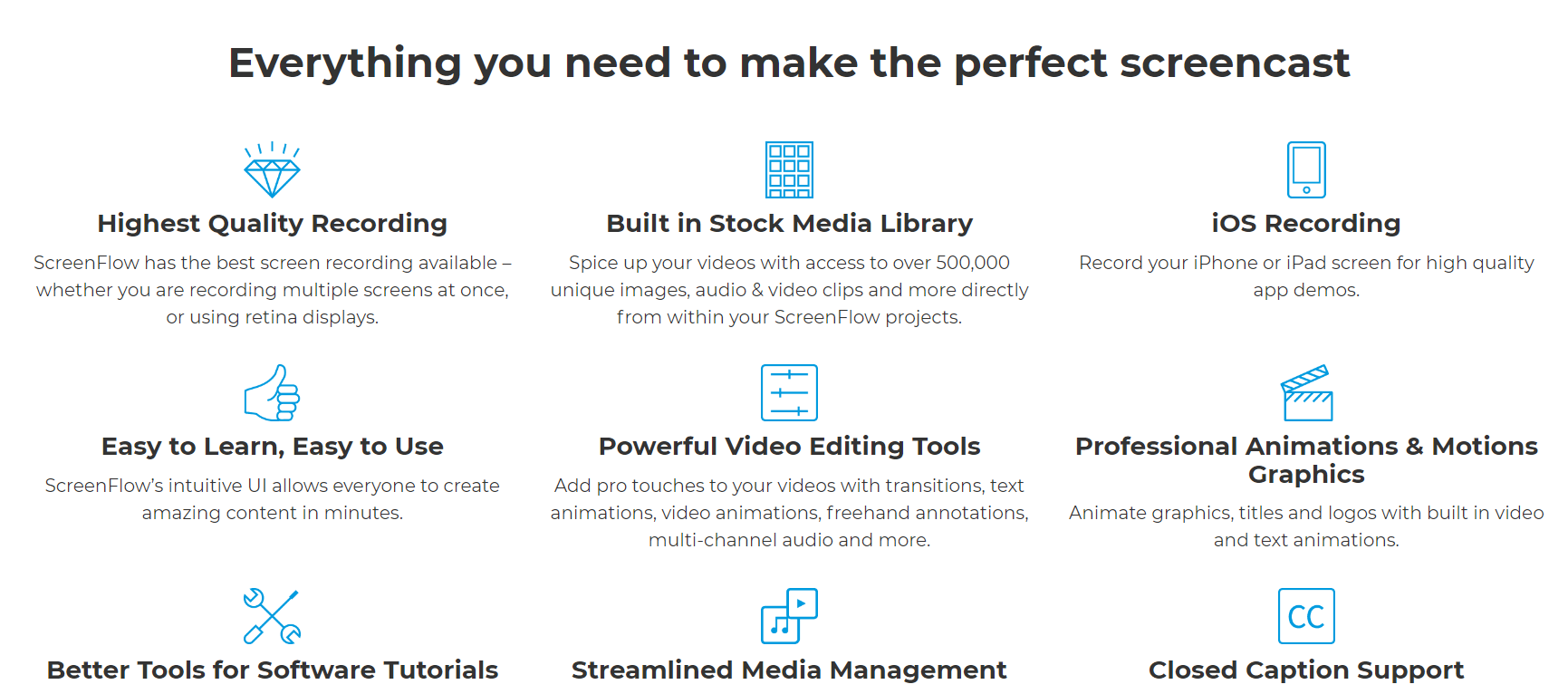
- Screen, camera and iOS recording: record your display, webcam, microphone and a connected iPhone or iPad at the same time, then edit each track separately.
- New recording controls in 10.5: record a screen region, include or exclude specific apps, hide ScreenFlow itself from the recording, and set looped or timed recordings.
- System audio without a driver: 10.5 added native computer audio recording, with each app’s audio on its own track.
- Editing tools: transitions, text and video animations, freehand annotations, callouts and multi-channel audio on a timeline built for tutorials.
- Captions and exports: add closed captions (including SRT import) and export to MP4, MOV, GIF and other formats, or publish straight to video platforms.
In my view, ScreenFlow earns its price if you make tutorials, product demos, or course lessons on a Mac every week. If you record a quick video once a month, the free trial plus a cheaper tool may be enough.
Ways to Pay Less for ScreenFlow
- Pick the right bundle: only buy the Super Pak if you’ll use stock media; the library renews at $99/year and Telestream doesn’t refund Stock Media Library purchases.
- Upgrade instead of rebuying: owners of ScreenFlow 8 or 9 pay $79, and owners of 4 to 7 pay $119, instead of $199.
- Use Premium Support for future upgrades: its 25% upgrade discount pays back if you plan to move to the next major version.
- Ask about education pricing: 10% off brings the license to $179.10.
- Buy in volume: 10 or more copies drop to $189.05 each, and 21 or more to $179.10 each.
- Watch seasonal sales: Telestream sometimes runs seasonal promotions; we track those on our ScreenFlow Black Friday sale page, but on 11 October 2026 the store showed only the bundle discounts above.
If ScreenFlow still feels expensive, compare it with Camtasia, which also runs on Windows; our Camtasia promo codes and student discount page lists its current offers, and our roundup of the best Camtasia alternatives covers cheaper and free recorders for both platforms. For a budget option, read our Movavi Screen Recorder review.
ScreenFlow Coupon and Discount FAQs
Telestream doesn't publish a public ScreenFlow promo code on its store. On 11 October 2026 the real savings were the Super Pak bundles ($23 and $32 off list), the 10% education discount, upgrade pricing, and volume pricing.
The ScreenFlow license is a one-time $199 purchase. The Stock Media Library ($99/year) and Premium Support ($59/year) are optional yearly add-ons, and major version upgrades are paid, starting at $79.
No. The unlicensed ScreenFlow trial is fully functional with no time limit, but every exported video carries a watermark until you enter a paid serial number.
Telestream offers a 100% refund within 30 days on desktop software bought from its online store. Stock Media Library subscriptions and renewals are non-refundable.
Upgrading from ScreenFlow 8 or 9 costs $79, and from versions 4 to 7 it costs $119. Versions 1 to 3 have no upgrade price, and Mac App Store copies must move to a Telestream license first.
No. ScreenFlow runs only on Apple Silicon and Intel Macs (macOS Tahoe and Sequoia for version 10.5). Windows users should look at Camtasia instead; our Camtasia promo codes page lists its current offers.
Final Word on ScreenFlow Coupons and Discounts
Skip any site promising a 30% or 50% ScreenFlow code; Telestream’s store doesn’t list one. The real ScreenFlow coupons and discounts are simpler: $199 for the license, $275 for the Super Pak if you want stock media, $325 for Super Pak + with a year of Premium Support, 10% off for education buyers, and $79 or $119 upgrades for existing owners. Try the free trial first, and buy once you’re sure the watermark is the only thing standing between you and your next tutorial.
