
Podia coupons and discounts save you up to 16% in 2026 when you pay yearly instead of monthly, which works out to as much as $348 a year. Every plan also starts with a 14-day free trial that asks for no credit card.
We checked each figure on this page against Podia’s US pricing on 7 October 2026. Podia’s pricing page lists no promo codes for its own plans, so the five verified Podia deals below are the real ways to pay less, and none of them needs a code.
Podia Deal: Save Up to 16% With Yearly Billing
Pay yearly instead of monthly and save 14% to 16% on every Podia plan, worth $84 to $348 a year, with no code needed.
Not ready to pay anything yet? Podia lets you test the whole platform first, and it never asks for a card during the trial.
Podia Free Trial: 14 Days, No Credit Card
Try every Podia feature free for 14 days before you pick a plan or enter any payment details.
New creators with a small catalog get the lowest entry price on Mover, the starter plan.
Podia Mover Plan: $42/mo, Save $84 a Year
Yearly billing cuts Mover from $49 to $42 per month. You get 50 products and 100 email subscribers, with a 5% Podia fee on sales.
Shaker is our pick for anyone already making sales, because it removes Podia’s 5% fee and adds affiliate tools.
Podia Shaker Plan: $84/mo, Save $180 a Year
Yearly billing cuts Shaker from $99 to $84 per month, with no Podia fees, 150 products, affiliate marketing, and upsells.
Large catalogs and busy communities fit Earthquaker, which lifts every product, video, and space limit.
Podia Earthquaker Plan: $150/mo, Save $348 a Year
Yearly billing cuts Earthquaker from $179 to $150 per month, with unlimited products, videos, spaces, and assistants.
All five Podia deals lead to the same signup page, so pick whichever matches your stage and read on for the full price breakdown.
Content Outline
Podia Coupons and Discounts 2026: US Pricing Compared
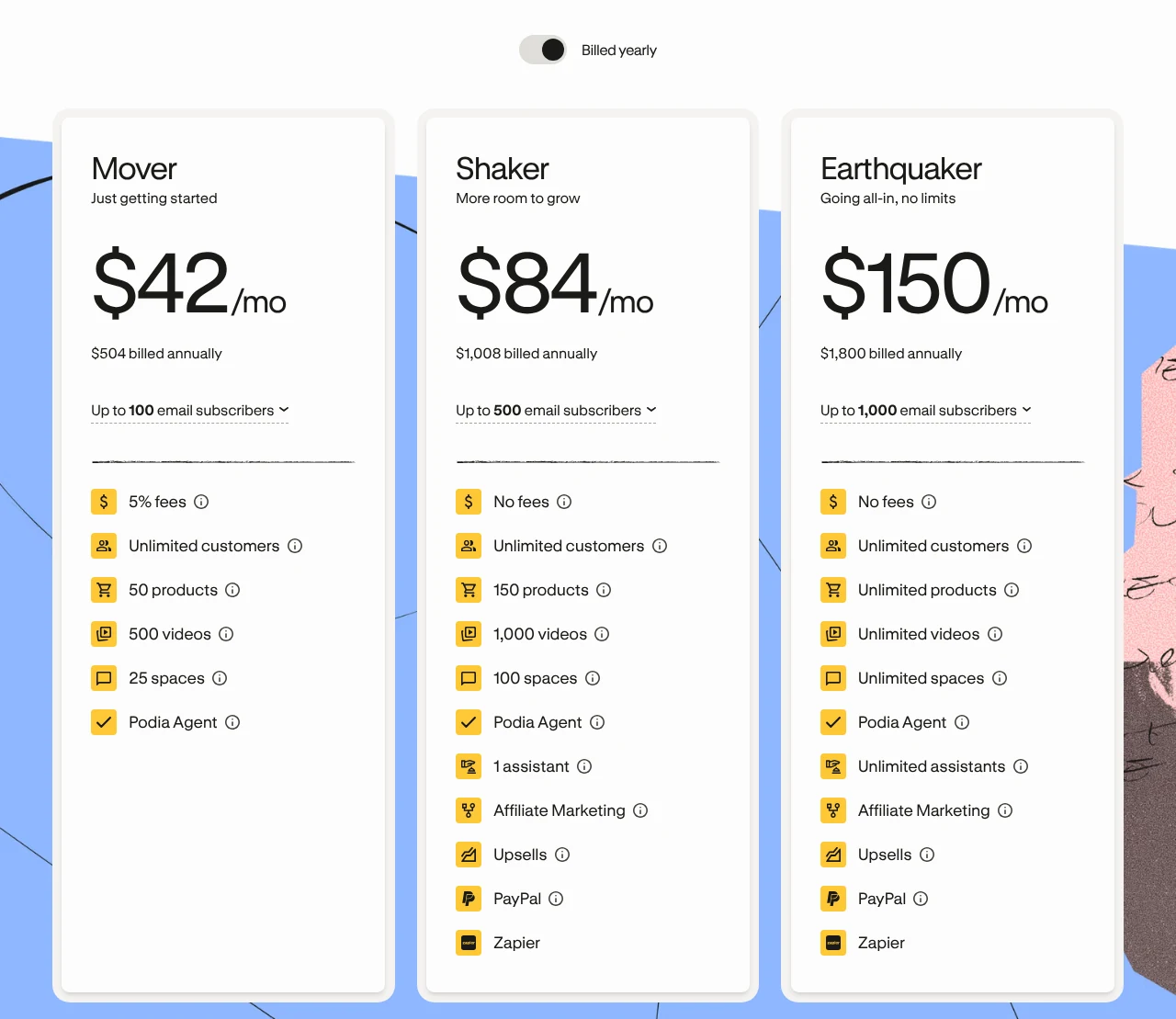
Podia sells three plans in US dollars, and the billing toggle on its pricing page decides how large your Podia discount gets. With yearly billing selected, the plans cost $42, $84, and $150 per month:
Flip the same toggle to monthly billing and each price climbs, which is exactly where the Podia discount comes from:
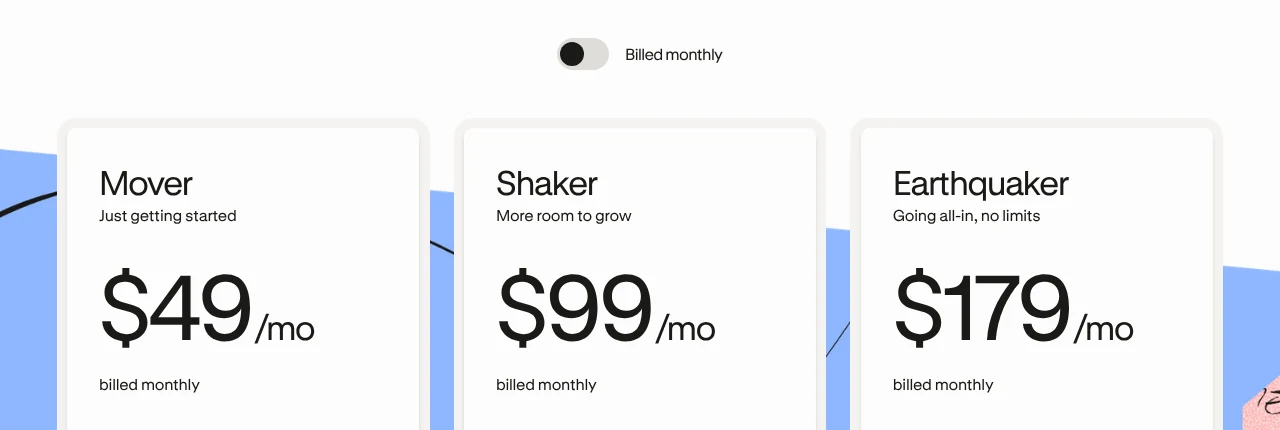
| Plan | Monthly billing | Yearly billing | Yearly total | You save | Podia fee |
|---|---|---|---|---|---|
| Mover | $49/mo | $42/mo | $504 | $84 (14%) | 5% |
| Shaker | $99/mo | $84/mo | $1,008 | $180 (15%) | None |
| Earthquaker | $179/mo | $150/mo | $1,800 | $348 (16%) | None |
The limits differ as much as the prices do, so check what each plan holds before you chase the biggest Podia discount:
| Plan | Products | Videos | Community spaces | Email subscribers included |
|---|---|---|---|---|
| Mover | 50 | 500 | 25 | 100 |
| Shaker | 150 | 1,000 | 100 | 500 |
| Earthquaker | Unlimited | Unlimited | Unlimited | 1,000 |
Shaker and Earthquaker also add affiliate marketing, upsells, PayPal, and Zapier, while every plan includes unlimited customers. Your payment processor still charges its own 2.9% plus 30 cents per sale on all three plans, and that fee goes to Stripe or PayPal instead of Podia.
Which Podia deal saves the most? On yearly billing, Shaker costs $504 more per year than Mover. Mover’s 5% fee reaches that same $504 once you sell $10,080 a year, or about $840 a month. Sell more than that, and Shaker becomes the cheaper plan even before you count its extra tools.
Bigger email lists cost extra on top. On Mover, Podia’s pricing page showed these add-ons on the day we checked: 500 subscribers for $8 more per month, 1,000 for $14, 2,500 for $22, 5,000 for $36, and 10,000 for $56.
How to Claim Podia Coupons and Discounts in 6 Steps
Claiming Podia coupons and discounts takes no code at all, because the saving sits inside the billing toggle. Start with the free trial, then switch to yearly billing when you upgrade:
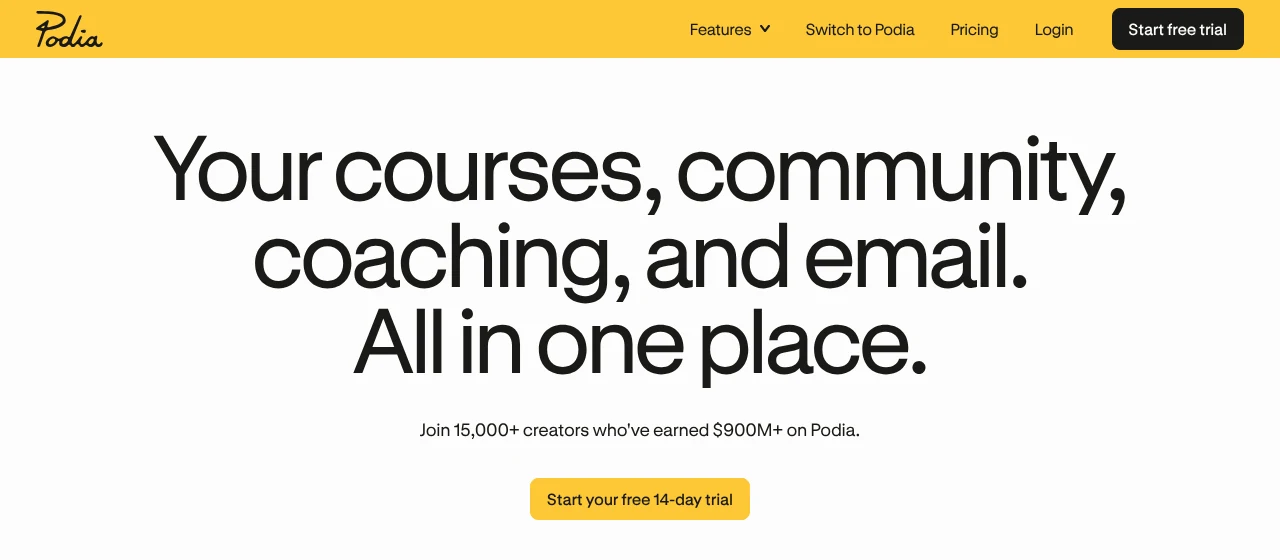
- Open Podia by clicking any Activate Deal button on this page, which takes you to Podia’s homepage.
- Click Start your free 14-day trial, the yellow button under the main headline.
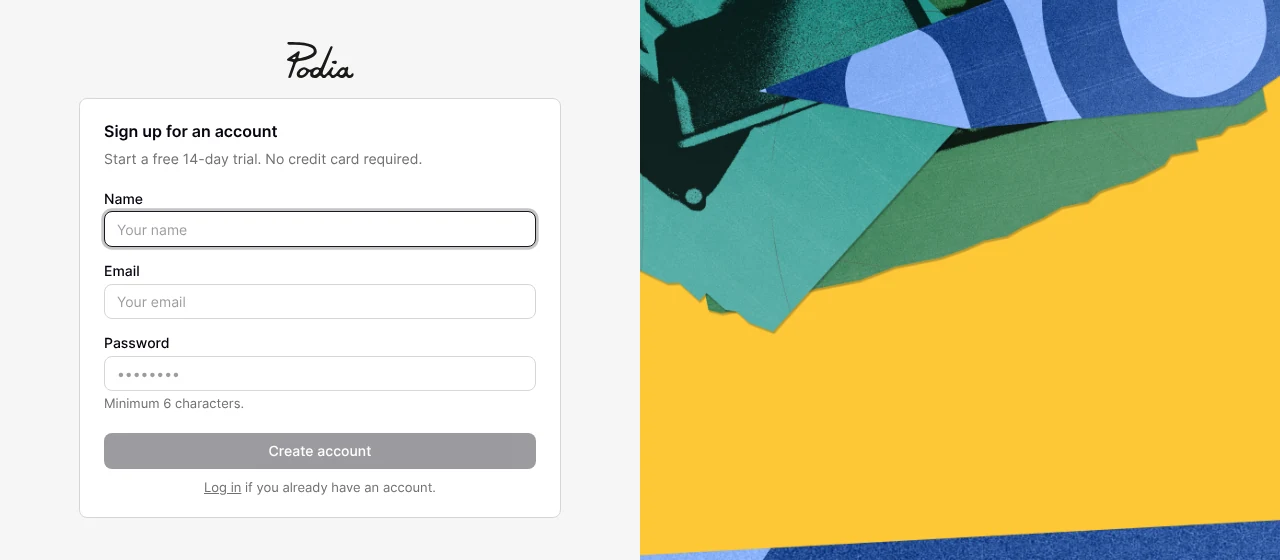
- Create your account by entering your name, email, and a password of at least six characters, then click Create account.
- Build and test for 14 days, since the trial opens every feature and Podia asks for no card.
- Open the billing screen when you feel ready by clicking your site name, then Admin, Billing, and Upgrade plan.
- Choose annual billing at the top of the plan table, set your subscriber count, click Choose Plan, and finish the payment by clicking Subscribe.
One timing tip protects your Podia discount here. Podia’s upgrade guide says a paid plan starts the moment you upgrade, even if trial days remain, so wait until the trial is nearly over before you pay.
What Every Podia Discount Plan Includes
A Podia discount only matters if the product earns its keep, and Podia packs a full creator toolkit into all three plans. According to its pricing page, everyone gets:
- Products to sell: online courses, digital downloads, coaching, and both live and in-person events.
- A home for your audience: a community, a website with a blog, landing pages, and a custom domain for building online stores.
- Checkout and tax: a built-in checkout, sales tax support for 230 countries, and more than 20 currencies.
- Email: Podia Email comes free up to your plan’s subscriber limit, so small lists need no separate tool.
- Extras: Podia AI tools, more than 1,900 embeds, migration help, and email and chat support.
Podia’s homepage says more than 15,000 creators have earned over $900 million on the platform. For a closer look at how it performs day to day, read our full Podia review or see how it stacks up in Kajabi vs Podia.
More Podia Deals: Free Migration and Seasonal Offers
Already selling on another platform? This Podia deal never shows up as a coupon code, yet it can save you days of copy and paste.

- Free migration on every plan: Podia’s team moves your content by hand, up to 50 products on Mover and up to 150 on Shaker and Earthquaker.
- What moves: course content, digital downloads, customer email addresses, and your free community and membership subscribers.
- What stays behind: active paying subscriptions cannot move, so recurring plans get set up fresh on Podia.
- Seasonal sales: we track the year-end offers on our Podia Black Friday deals page.
Podia gives you a time estimate before you commit to a migration, which makes the switch far less of a leap of faith. Pair that with Podia coupons and discounts on yearly billing, and moving house gets cheaper as well as easier.
How to Create Podia Coupon Codes for Your Own Products
Podia coupons work in two directions. Besides saving on your own plan, you can hand discounts to your customers, and Podia’s help center lays out the setup in a few clicks:
- Open the coupon screen by clicking your site name, then Admin, Sales, Coupons, and New coupon.
- Name the code yourself, or click Generate unique code to let Podia write one.
- Choose what it discounts from all products and plans, plans only, or specific products.
- Set the value as a percentage or a fixed amount, then add a usage limit or an expiry date if you want one.
- Click Create coupon and share the code, or send a coupon link that applies the discount automatically.
Buyers type the code into the Discount code field at checkout and click Apply. Keep one detail in mind for memberships: a coupon on a subscription plan discounts every month for the life of that subscription, so price it with care.
4 Tips to Stretch Your Podia Discount Further
A Podia discount works harder when you pair it with a little planning, and these four habits cost nothing to follow:
- Use the whole trial first, because upgrading early ends the free days and starts your billing clock.
- Commit to yearly billing only after the trial proves the fit, since the 14% to 16% saving depends on paying for twelve months upfront.
- Run the fee math before you pick Mover, as the 5% fee can quietly cost more than the $504 gap to Shaker.
- Watch your email list size, because subscriber add-ons raise the bill faster than most creators expect.
Podia Coupon and Discount FAQs
Still have questions about Podia coupons and discounts? These answers cover the fine print on refunds, cancelling, and payments.
No, Podia's pricing page lists three paid plans and no free plan. The 14-day free trial is the free option, and Podia's help center says your site goes offline when the trial ends unless you upgrade.
Yes, as long as you act fast, because Podia refunds your most recent payment only when you message its team within 72 hours of that payment. It does not give partial refunds on annual plans, and refunds take 5 to 10 business days to arrive.
Not at the moment, since Podia's help center states that it does not currently offer nonprofit discounts, so yearly billing remains the standard Podia discount.
Podia accepts cards from all major brands, plus Google Pay and Apple Pay. The two wallet options depend on your country and your browser settings.
Your cancellation takes effect at the end of the current billing cycle, so you keep access until then. Podia permanently deletes your data 180 days after that.
Yes, and Podia says you can upgrade, downgrade, or switch from monthly to annual billing at any time, so you can start monthly and move to the yearly rate once you feel sure.
Final Word on Podia Coupons and Discounts
Podia coupons and discounts come down to two honest savings: a free 14-day trial, and up to 16% off when you pay yearly. Start on the trial, run the fee math between Mover and Shaker, and switch to annual billing once Podia has earned the commitment.
Comparing course platforms before you grab a Podia coupon? Check our Teachable coupon codes and Thinkific coupon codes, or browse the Cartflows, Hostinger, and Leadpages deals. Your accountant may never send a thank-you card, but the savings are real.
